

.svg)

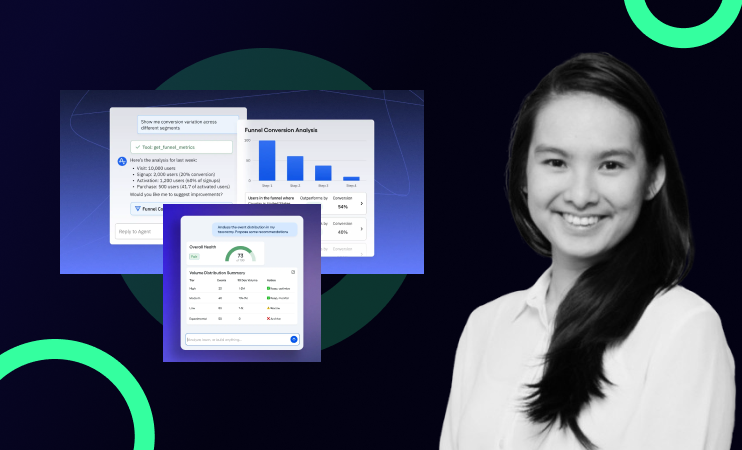
Amplitude's Global Chat Agent lets product and growth teams ask questions in plain English and get instant charts, dashboards, and insights, without manually building analyses. Instead of spending hours parsing data, you type your question and Amplitude builds the answer. This article covers what the Chat Agent can do, how to get the most out of it, and what setup you need in place for it to work properly.
Prefer to watch? See it in action on YouTube →
1. How to Use Amplitude's AI Chat Agent to Get Instant Product Insights
Most product teams have the same problem. Someone needs to know what happened to conversion this week, which users are likely to churn, or which features are driving retention. So they open Amplitude, start building charts, create segments, adjust filters, and an hour later they have an answer that should have taken five minutes.
Amplitude's Global Chat Agent changes that. Instead of navigating dashboards manually, you ask a question in plain English and Amplitude builds the analysis for you.
Here's what it does, how it works, and what you need to set up for it to actually be useful.
2. What is Amplitude's Global Chat Agent?
The Global Chat Agent (also called Chat) is Amplitude's AI-powered interface that lets you interact with your product data conversationally. You type a question, "what's happening to my conversion this week?", and it generates charts, surfaces trends, builds dashboards, and flags anomalies in real time.
You can find it in the left sidebar of Amplitude or on the main screen when you open the platform. Amplitude also suggests starting prompts based on your data, so you don't have to start from scratch.
3. What the Chat Agent can actually do
The practical use cases go further than most teams expect.
You can ask it to build a conversion funnel chart from scratch. In a demo using Amplitude's sample e-commerce store, asking "can you help me build a chart to understand user conversion?" instantly produced a funnel showing view item → add to cart → checkout → purchase: correctly mapped to the right events because the tracking plan had proper context in it.
You can ask it to prepare a dashboard for a stakeholder meeting. Asking it to "create a sales performance dashboard for my meeting this week" produced a full dashboard covering weekly purchases, category breakdowns, funnel performance, and campaign conversion comparisons — all without touching a single chart builder.
You can ask it to write the Slack invite for that meeting too. In the same prompt, asking it to draft a Slack message to stakeholders produced a ready-to-send message linking to the dashboard and summarising what would be reviewed. One prompt, complete output.
You can ask it to do a deep dive on a spike or anomaly. Clicking into a daily active users chart and asking "run a deep insight on what's going on" triggered a full diagnostic, it identified an 8.9x spike, flagged possible explanations (bot traffic, viral campaign moment), broke down users by device and source, and suggested next steps for investigation.
4. Why context in your tracking plan matters
The Chat Agent is only as good as the information Amplitude has about your events. If your events are unnamed, inconsistently defined, or missing descriptions, the AI doesn't know what they mean, and it can't map them to the right analysis.
The teams that get the most out of Chat have four things in place:
Event descriptions written in plain language. When Amplitude knows that "add_to_cart" means "user clicked add to cart on a product detail page," it can correctly include that event in a conversion funnel without you specifying it manually.
Consistent event naming. Events named differently across platforms (add_to_cart vs AddToCart vs cart_add) confuse the agent. Pick a convention and stick to it.
User properties set correctly. If you want the agent to segment by plan type, geography, or acquisition source, those properties need to be passed in. If they're missing, the analysis comes back flat.
Sufficient data in the relevant time range. The agent can only surface trends and anomalies if there's enough data to work with. If you're running it on a dashboard with seven days of data and low traffic, the insights will be shallow.
None of this is complicated to fix, but it needs to be in place before you get real value from the AI features.
5. The actual time saving
The shift the Chat Agent creates is moving your team from building analyses to validating them. Instead of spending an hour constructing a funnel, you spend five minutes checking whether the funnel the AI built is the right one. That frees up the rest of the time for what actually matters — interpreting the data and deciding what to do about it.
For product and growth teams running weekly reporting, stakeholder prep, or ongoing conversion monitoring, this compounds quickly.
6. Watch the full walkthrough
Olivia from the Adasight team walks through all of this live: including the conversion funnel demo, the stakeholder dashboard build, and the deep dive on a daily active user spike.
7. Is your Amplitude data AI-ready?
The Chat Agent only works well if your Amplitude setup is clean — the right events tracked, the right properties passed in, and a tracking plan your team actually maintains. If you're not sure whether your setup is ready to get value from Amplitude's AI features, that's exactly what we help with.
Check out the AI Readiness package →
FAQ
What is Amplitude's Global Chat Agent?
It's an AI-powered interface inside Amplitude that lets you ask questions about your product data in plain English. It responds by generating charts, dashboards, and written insights in real time, without you needing to build anything manually.
Do I need a specific Amplitude plan to access Chat?
The Global Chat Agent is available on Amplitude's paid plans. Feature availability may vary depending on your contract. Check Amplitude's current plan details for specifics.
Why is the Chat Agent giving me generic or unhelpful answers?
The most common reason is missing context in your tracking plan. If your events don't have descriptions, or are named inconsistently, Amplitude doesn't have enough information to map them to meaningful analyses. Adding event descriptions and standardising naming conventions usually fixes this quickly.
Can the Chat Agent replace my analytics team?
No, and it's not designed to. It handles the mechanical work of building analyses so your team can focus on interpreting results and making decisions. Validation and judgment still sit with humans.
What's the best first question to ask the Chat Agent?
Start with something you already know the answer to, so you can validate the output. For example: "Show me conversion from signup to first purchase over the last 30 days." If the funnel it builds matches what you'd build manually, you know the context is set up correctly and you can start asking more exploratory questions.

.png)

