.svg)

📺 Your Guide to Marketing Data in Amplitude (Channels, Ads, Performance)
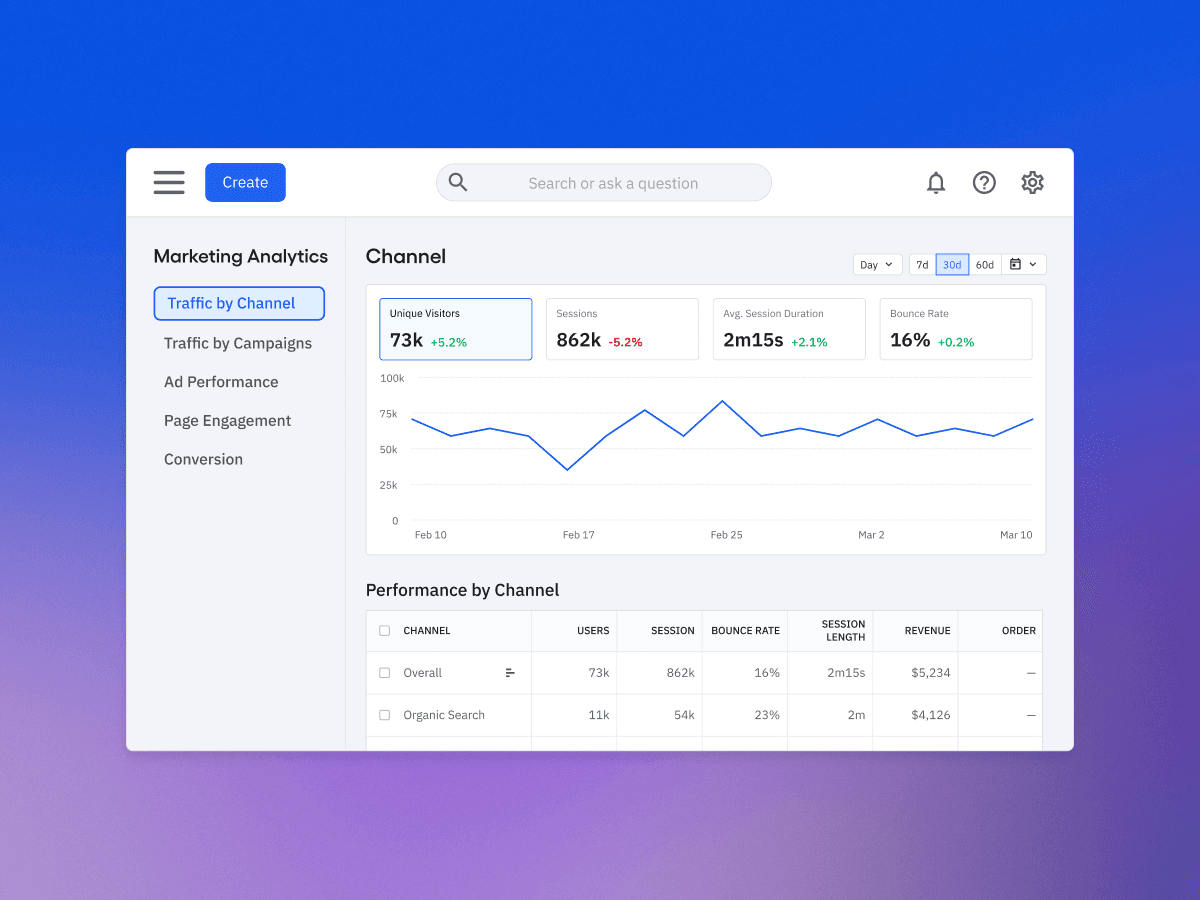
In the video above, Olivia — a Growth Consultant at Adasight — walks through Amplitude's Marketing Analytics hub, including the part most marketers care about most: ad performance. This article goes deeper on how to connect your ad platforms and turn raw spend into a real ROAS number, but the walkthrough is the fastest way to see it live, so press play first if you'd rather watch than read.
The short version: To track ad performance and ROAS in Amplitude, connect your advertising platforms (Google, Meta, LinkedIn, and more) as data sources. Amplitude pulls in daily ad metrics — spend, impressions, and clicks — and stitches them to on-site visits and conversions using the UTM parameters in your campaigns. From there it calculates cost per click, cost of acquisition, and return on ad spend automatically, as long as your conversion events carry revenue — giving you a full view from ad impression to revenue in one place.
What ad performance tracking in Amplitude gives you
Most teams measure ads in one tool and behavior in another, then try to reconcile them in a spreadsheet. Amplitude closes that gap. Once your ad platforms are connected, you can follow the entire chain — spend → impressions → clicks → visits → conversions — in a single view. The first three come from your ad platforms; the last two come from Amplitude's own behavioral data. The result is that you can tie a dollar of ad spend all the way through to a conversion (and the revenue attached to it), which is exactly what you need to trust a ROAS number. It's the kind of end-to-end picture a traffic-only tool like Google Analytics 4 can't give you on its own.
Step 1: Connect your ad platforms
Head to Data → Sources and add an advertising source. Amplitude supports the major platforms — Google Ads, Meta (Facebook), and LinkedIn, plus Bing, TikTok, and X (some in beta). As long as you have the right access to the ad account, you authorize the connection, follow the per-platform setup in Amplitude's documentation, and the data starts flowing.
One note from the walkthrough: Google Ads has a few of its own quirks worth understanding before you lean on the numbers. If Google is your main channel, our guide to tracking Amplitude conversions in Google Ads is worth a read alongside this.

Step 2: Know how the ad data comes in
When you sync a platform, Amplitude generates events called daily ad metrics. These are aggregate — they're not tied to a specific user — and they carry the fields you'd expect: impressions, clicks, cost, and campaign name. That's an important mental model: your ad platforms tell Amplitude what happened at the campaign level (how much you spent, how many people saw and clicked), and Amplitude handles everything that happens once a person lands on your site.
Step 3: How Amplitude connects ad spend to real behavior
Here's the part that makes it powerful. Your ad platform supplies spend, impressions, and clicks; Amplitude supplies the on-site visit and conversion; and the two are married together using the UTM parameters in your campaigns.
Walk it through with one user: someone sees your ad (an impression), clicks it (a click), lands on your site carrying the campaign's UTMs (a visit Amplitude records), and later converts (a conversion Amplitude records). Because the visit and the ad share the same UTM parameters, Amplitude can link that conversion — and its revenue — back to the exact ad spend that produced it. This is why consistent UTM tagging matters so much; if your tags are messy, the stitching breaks. Our guide to tracking marketing channels with UTMs and attribution models covers how to get that foundation right.
Step 4: Set up CPC, CAC, and ROAS
With the data connected, Amplitude calculates the headline efficiency metrics for you:
- Cost per click (CPC) — derived automatically from total spend and clicks.
- Cost of acquisition (CAC) — you tell Amplitude which event counts as an "acquisition," and it does the math against spend.
- Return on ad spend (ROAS) — revenue generated versus spend.
The one thing you can't skip: ROAS only works if your conversion or transaction events carry a revenue value. If you don't pass how much each conversion is worth, Amplitude has a numerator of zero and your ROAS comes back blank. So when you set up your events, make sure revenue rides along with the transaction.
In the ad performance view itself, you then point Amplitude at the right events — choosing which event represents your acquisition and which represents your conversion — and the CPC, CAC, and ROAS columns populate against your impressions, clicks, and click-through rate.
See it in action
Reading the steps is one thing — seeing the setup is faster. Olivia demos the ad-platform sync and the full ad performance view, along with the rest of Amplitude's Marketing Analytics hub, in under 13 minutes.
▶ Watch "Your Guide to Marketing Data in Amplitude" and follow along in your own workspace.
Get the tracking foundation right first
A ROAS number is only as trustworthy as the data feeding it — clean UTMs, connected sources, and conversion events that actually carry revenue. If yours aren't fully in place, that's a data foundation problem worth solving before you make budget decisions off the numbers. Our Data Foundation engagement is built to get exactly that right, so your ad performance and ROAS reflect reality.
Frequently asked questions
How do I connect my ad accounts to Amplitude?
Go to Data → Sources, add an advertising source (Google Ads, Meta, LinkedIn, and others), and authorize access to the ad account. Once connected, Amplitude begins pulling in your ad metrics automatically. The per-platform setup is covered in Amplitude's documentation.
What are "daily ad metrics" in Amplitude?
They're the aggregate events Amplitude creates when you sync an ad platform — carrying spend, impressions, clicks, and campaign name. They aren't tied to individual users; they describe campaign-level performance, which Amplitude then connects to on-site behavior via UTMs.
How does Amplitude calculate ROAS?
ROAS is the revenue generated from a campaign divided by what you spent on it. Amplitude computes it automatically once your ad sources are connected and your conversion events include a revenue value. Without revenue on those events, ROAS can't be calculated.
Why does my ROAS show as zero or blank?
The most common reason is that your conversion or transaction events aren't passing a revenue amount. Amplitude needs the value of each conversion to divide against spend — so if revenue isn't being sent with the event, there's nothing to calculate.
Can Amplitude track ad performance across multiple platforms at once?
Yes. You can connect several advertising sources — Google, Meta, LinkedIn, and more — and view their performance together in the Marketing Analytics hub, with spend, clicks, and ROAS comparable side by side.
.png)
.png)
.png)