

.svg)

Split testing and A/B testing are terms most people use interchangeably, but they are not exactly the same thing. Understanding the distinction matters when you are choosing the right methodology for what you are trying to test, and when you are interpreting results correctly. This guide covers what each term means, where they differ, when to use each one, and how to run both correctly to get results you can actually trust.
If you have searched for "split testing" and landed on content about A/B testing, or vice versa, you've come to the right place.
The two terms overlap significantly and are used interchangeably in most marketing and product contexts. But there is a meaningful technical distinction between them, and understanding it helps you choose the right approach for what you are testing and interpret your results correctly.
Here is the full breakdown.
What Is A/B Testing?
A/B testing is the practice of creating two versions of something like a webpage, an email, an ad, an in-product experience, showing each version to a randomly assigned segment of your audience simultaneously, and measuring which version performs better against a defined primary metric.
Version A is the control: what currently exists. Version B is the variant: the change you want to test. The split is typically 50/50, though it can be weighted differently depending on your risk tolerance and traffic volume.
The key characteristic of A/B testing is that the same users see the same URL or experience, and the difference between versions is in the content, design, or logic served to them, not in the URL they visit.

What Is Split Testing?
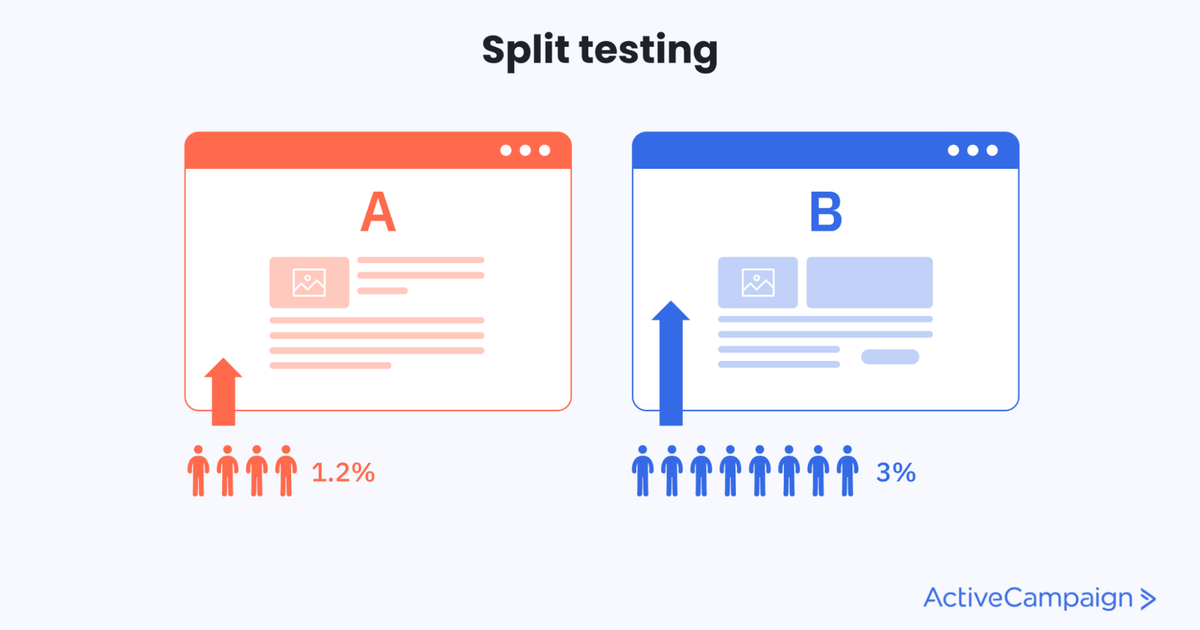
Split testing, sometimes called split URL testing, is a specific type of experiment where traffic is split between two or more completely different URLs or pages, rather than two versions of the same page.
Instead of serving different content to different users on the same URL, split testing redirects users to entirely separate pages. User A lands on /landing-page-v1. User B is redirected to /landing-page-v2. Both pages may look completely different like different layouts, different copy, different structure, because they are separate builds rather than variations served by a testing tool.
This approach is typically used when the changes being tested are too significant to implement as a variant in a visual editor, like a complete page redesign, a fundamentally different value proposition, or a new page structure that would be impractical to build as a variation.
Where They Overlap
In practice, most marketing teams and most testing tools use "split testing" and "A/B testing" as synonyms. When someone says they are running a split test, they almost always mean an A/B test. When a tool calls itself a "split testing tool," it almost always means an A/B testing tool.
The technical distinction matters in specific contexts, particularly when you are deciding between testing content variations on a single URL versus testing fundamentally different page experiences at different URLs. Outside of that specific decision, the terms are effectively interchangeable.
A/B Testing vs Split Testing: The Key Differences
The same URL is used in A/B testing. Traffic receives different content served by the testing tool. This is the standard approach for most conversion optimisation work: headline tests, CTA changes, image variations, layout adjustments.
Different URLs are used in split testing. Traffic is redirected to separate pages. This is the right approach when the changes are too extensive for a variation: a complete redesign, a new landing page concept, a fundamentally different structure.
A/B testing is faster to set up because changes are made in the testing tool's interface without requiring new pages to be built. Split testing requires building complete separate pages but gives you more flexibility for radical changes.
A/B testing can sometimes cause page flicker, a brief flash of the original content before the variant loads particularly with client-side tools. Split URL testing avoids this because users land directly on the variant page.
For SEO, split URL testing requires careful implementation. Sending significant traffic to a non-canonical URL can create duplicate content signals if not set up correctly. A/B testing on a single URL is safer from an SEO perspective for most use cases.
When to Use A/B Testing
Use A/B testing when you are testing specific elements on an existing page with headline copy, CTA button text or color, image choices, form length, social proof placement, pricing table layout. This is the right approach for the majority of conversion optimisation work because it is fast to set up, easy to iterate, and does not require building new pages.
A/B testing is also the right choice for email subject lines, ad copy variations, onboarding flow changes, and in-product feature experiments where the change is a modification to an existing experience rather than a completely new one.
When to Use Split Testing
Use split testing when you are testing fundamentally different page concepts: a complete redesign, a new value proposition, a different page structure, where the changes are too extensive to implement as a variation in a testing tool.
If you are testing whether a long-form landing page outperforms a short-form one, split testing is appropriate because the two experiences are too different to implement as a simple variation. If you are testing a completely new onboarding flow against your current one, split testing at the URL level gives you clean separation between the two experiences.
Split testing is also useful for testing page concepts before committing to a full implementation -- you can build a lightweight version of the new concept, test it against the existing page, and only invest in full development if the concept proves out.
A Real Example: When Each Approach Is Right
A SaaS company wants to test their pricing page. They have two hypotheses they want to test simultaneously.
Hypothesis 1: changing the primary CTA from "Start Free Trial" to "See It In Action" will increase clicks. This is a small, specific change. A/B testing is the right approach, implement the variant in the testing tool, split traffic on the existing pricing page URL, measure click-through rate.
Hypothesis 2: a completely restructured pricing page that leads with a calculator instead of a feature comparison table will increase trial signups. This requires building a new page. Split testing is the right approach -- build the new page at a separate URL, split traffic between the existing page and the new one, measure trial signup rate.
Both tests run simultaneously. The A/B test evaluates a specific element. The split test evaluates a fundamentally different concept. Neither interferes with the other because they are targeting different aspects of the same page experience.
The Statistical Principles Are the Same
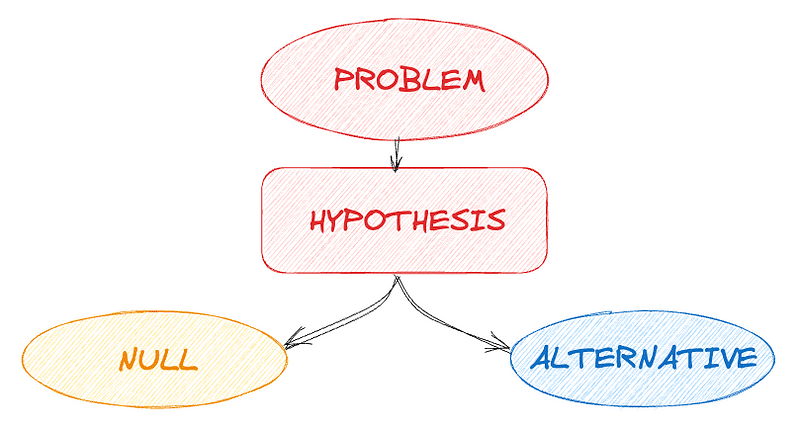
Whether you are running an A/B test or a split test, the statistical requirements are identical. You need a pre-documented hypothesis. You need a calculated sample size before launching. You need to run the test for at least one full business cycle. You need to evaluate results using both p-value and confidence interval, not p-value alone. And you need to check that results hold across key segments before making a shipping decision.
The A/B testing statistics guide covers all of these concepts in detail. The same principles apply regardless of whether you are testing on a single URL or across separate pages.
The most common mistake teams make with both approaches is stopping tests too early. A split test that looks like a clear winner on day five frequently reverses by day fourteen. Run both types of test to their full calculated sample size, no exceptions. The guide to avoiding false winners covers exactly why this matters and what the evaluation process needs to include.
Which Tools Support Split Testing and A/B Testing?
Most major testing tools support both approaches. VWO supports both standard A/B testing and split URL testing. Optimizely supports both. Google Optimize supported both before it was discontinued. Most server-side tools like Statsig and Amplitude Experiment handle the equivalent distinction at the SDK level, testing variations of an experience versus testing fundamentally different feature branches.
The tool choice matters less than the process. A well-structured test with a clear hypothesis, correct sample size, and rigorous evaluation produces reliable results regardless of which tool you use.
Just getting started with testing?
The A/B Test Design Guide covers the complete 8-step process: from writing your first hypothesis to calculating sample size and documenting results, so you can run your first test correctly from day one.
👉Download the free A/B Test Design Guide
Already running tests but not sure your results are reliable?
The False Winners Playbook covers the 5 concepts and 6-point checklist your team needs to declare winners you can actually trust every time.
👉Download the False Winners Playbook
Want to make your testing programme compound?
If your programme feels slow, manual, or like it is not building on itself -- the Experimentation Growth Engine automates hypothesis generation, prioritisation, and result evaluation so every test makes the next one smarter.
👉See the Experimentation Growth Engine
FAQ
What is the difference between split testing and A/B testing?
A/B testing serves different content to different users on the same URL -- the change is in what is displayed, not where users land. Split testing redirects users to entirely different URLs -- each version is a separate page. In practice most marketing teams use the terms interchangeably, but the technical distinction matters when deciding whether to test a small element change (A/B testing) or a fundamentally different page concept (split testing).
Is split testing the same as A/B testing?
In most marketing and product contexts, yes -- the terms are used interchangeably. The technical distinction is that split testing specifically refers to testing across different URLs, while A/B testing refers to testing variations on the same URL. Outside of that specific technical context, both terms describe the same practice of running controlled experiments to measure which version performs better.
When should I use split URL testing instead of A/B testing?
Use split URL testing when the changes you want to test are too extensive to implement as a variation in a testing tool -- a complete page redesign, a fundamentally different value proposition, or a new page structure that would be impractical to build as a variation. For most element-level tests (headlines, CTAs, images, layout adjustments), standard A/B testing on a single URL is simpler and faster.
Does split testing affect SEO?
Split testing across different URLs can create duplicate content signals if not implemented correctly. Use canonical tags on variant pages pointing to the original URL, or use temporary redirects (302) rather than permanent ones (301) for the duration of the test. Standard A/B testing on a single URL is safer from an SEO perspective for most use cases.
What sample size do I need for a split test?
The same as for an A/B test -- calculated from your baseline conversion rate, minimum detectable effect, and desired statistical power before launching. The statistical requirements for split testing and A/B testing are identical. Use a sample size calculator with your actual numbers and commit to running the test until that number is reached.
Can I run split tests and A/B tests simultaneously?
Yes -- as long as the tests are targeting different aspects of the user experience and the same users are not being enrolled in conflicting experiments simultaneously. Running a split test on your landing page concept and an A/B test on a specific CTA element on the same page at the same time would create contaminated results. Use mutually exclusive audience segments or test on different pages to avoid interference.

.png)
.png)

