.svg)

How to Automate Your Weekly Amplitude Report With AI
Most product and growth teams spend hours every week manually pulling data from Amplitude, writing summaries, and formatting reports that stakeholders skim once and forget. Amplitude's AI features: Dashboard Agents, Notebooks, and automated insight workflows make it possible to generate accurate, stakeholder-ready weekly reports in a fraction of the time. This article explains exactly how to set that up and what you need in place for it to work reliably.
Weekly reporting is one of the most consistent time sinks in any product or growth team.
The problem isn't that reporting is unimportant. Weekly insights are genuinely valuable, when they're timely, accurate, and connected to decisions. The problem is the process. Manual reporting is slow, inconsistent, and scales badly as your product and team grow.
Amplitude's AI features change the equation. Here's how to build a reporting workflow that runs itself.
What you need before you automate anything
Automation doesn't fix a broken foundation. Before setting up any AI reporting workflow in Amplitude, three things need to be in place.
Your events need to be tracked consistently. If events fire inconsistently, have duplicate names, or are missing key properties, your automated report will surface those problems. Clean, consistent event tracking is the non-negotiable starting point.
Your dashboards need to be structured around business questions. A dashboard full of random charts produces a random AI summary. Each dashboard should be organized around a specific question, conversion performance, feature adoption, retention by cohort, so the AI has a clear frame to work within.
Your AI context needs to be filled in. Amplitude lets you add organizational context at both the project and dashboard level. This is what tells the AI who your users are, what your business model is, and what decisions the data is meant to support. Without this, the summaries will be generic. With it, they become specific and actionable.
Step 1: Set up your Dashboard Agent
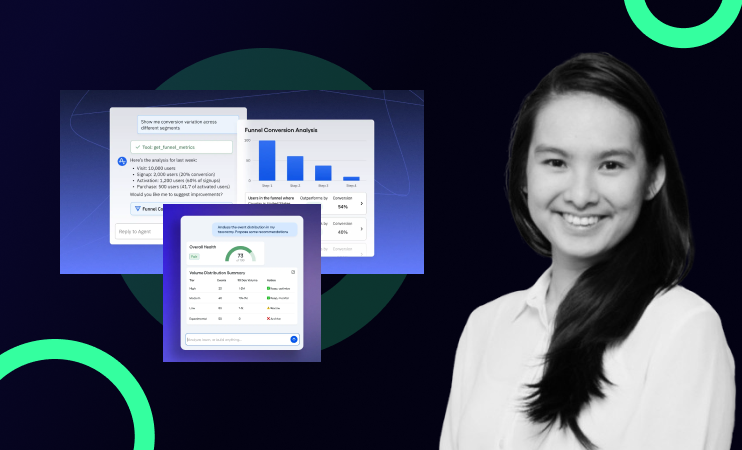
Once your dashboards are structured, enabling the Dashboard Agent is straightforward. Navigate to any dashboard in Amplitude and activate the agent from the AI settings. The agent reads every chart on the dashboard in real time and generates a written summary, trends, notable changes, anything that moved significantly in the period.
The summary refreshes automatically each time it runs. You're not editing a template week to week. You're reviewing output that reflects the current state of your data.
One important note: the Dashboard Agent will surface whatever your data shows. If there's a spike you can't explain, it will flag it. If a metric dropped, it will note it. This is a feature, not a problem, but it means your data quality needs to hold up to scrutiny.
Step 2: Build a Notebook for your weekly report
Amplitude Notebooks let you combine live charts with written commentary in a single document. This is where the automated summary becomes a shareable report.
The structure is simple. Pull your most important charts into a Notebook: conversion funnel, weekly active users, key feature adoption metrics, whatever your stakeholders care about. Add the AI-generated summary from your Dashboard Agent as the narrative layer. Because the charts auto-update, the Notebook stays current every week without you rebuilding it.
Step 3: Turn insights into action
This is the step most teams skip, and it's the most important one.
An insight that doesn't become a decision or a task is just information. The final step in the workflow is taking the AI-generated summary and using it to draft recommended actions, then pushing those into your project management tool as tickets.
This can be done manually in fifteen minutes, or automated further using integrations between Amplitude, Slack, and tools like ClickUp or Notion. The specific setup depends on your stack. The principle is the same regardless: close the loop between what the data shows and what the team does next.
What a good weekly cadence looks like
With the workflow in place, a realistic weekly reporting cadence looks like this. On Monday the Dashboard Agent runs and generates the summary automatically. A team member spends fifteen to thirty minutes reviewing the output, checking for anything that needs context or correction, and approving the recommended actions. The Notebook goes to stakeholders. Tickets get created. The whole process takes less time than most teams currently spend just pulling the data.
Over time the value compounds. Each week's report feeds into the next round of decisions. Patterns become visible across weeks and months. The team builds a genuine knowledge base of what moved the needle and what didn't, which makes every future decision sharper.
The common mistake that kills this workflow
The most frequent failure point is treating this as a plug-and-play setup. Teams turn on the Dashboard Agent, get a generic summary, conclude that AI reporting doesn't work, and go back to manual.
The issue is almost always missing context. The AI context fields in Amplitude exist for a reason. Filling them in with your business model, your ICP, your key metrics, your decision framework: is what transforms a generic summary into something genuinely useful. It takes an hour to do properly and it changes the quality of output dramatically.
If your AI summaries feel generic, that's the first place to look.
Want to see this built live?
We're running a session where we walk through the full setup: Dashboard Agents, Notebooks, and the insight-to-action workflow, built in a real Amplitude environment.

Want to talk through your setup?
Book a 30-minute call with Gregor →
FAQ
What is Amplitude's Dashboard Agent?
The Dashboard Agent is an AI feature in Amplitude that reads your dashboard charts in real time and generates a written summary of what the data shows. It surfaces trends, flags significant changes, and produces narrative output automatically — without manual input from your team.
Can Amplitude automatically generate weekly reports?
Yes, using a combination of Dashboard Agents and Notebooks. The Dashboard Agent generates the narrative summary, and Notebooks combine that summary with live charts into a shareable document that updates automatically each week.
What is Amplitude Notebooks?
Notebooks is a feature in Amplitude that lets you combine live charts with written commentary in a single document. Because charts auto-update, Notebooks are particularly useful for recurring reports — the structure stays the same while the data and AI-generated narrative refresh each week.
Why is my Amplitude AI summary too generic?
Generic summaries almost always come from missing or incomplete AI context. Amplitude lets you add context at the organizational and project level — describing your business model, users, and key decisions. Filling this in properly is what makes AI summaries specific and actionable rather than generic.
Do I need technical skills to set up automated reporting in Amplitude?
No. Dashboard Agents and Notebooks are no-code features available directly in the Amplitude interface. The setup requires analytical thinking — structuring dashboards around business questions, filling in AI context — rather than engineering work.
.png)
.png)